
Add plugins and formatting extras
Plugins add new markdown to your book: highlights, callouts, footnote styles, a game's components and more. Open Setup → Features. Its tabs are Installed & built-in, Search and Advanced.
Turn on a formatting extra
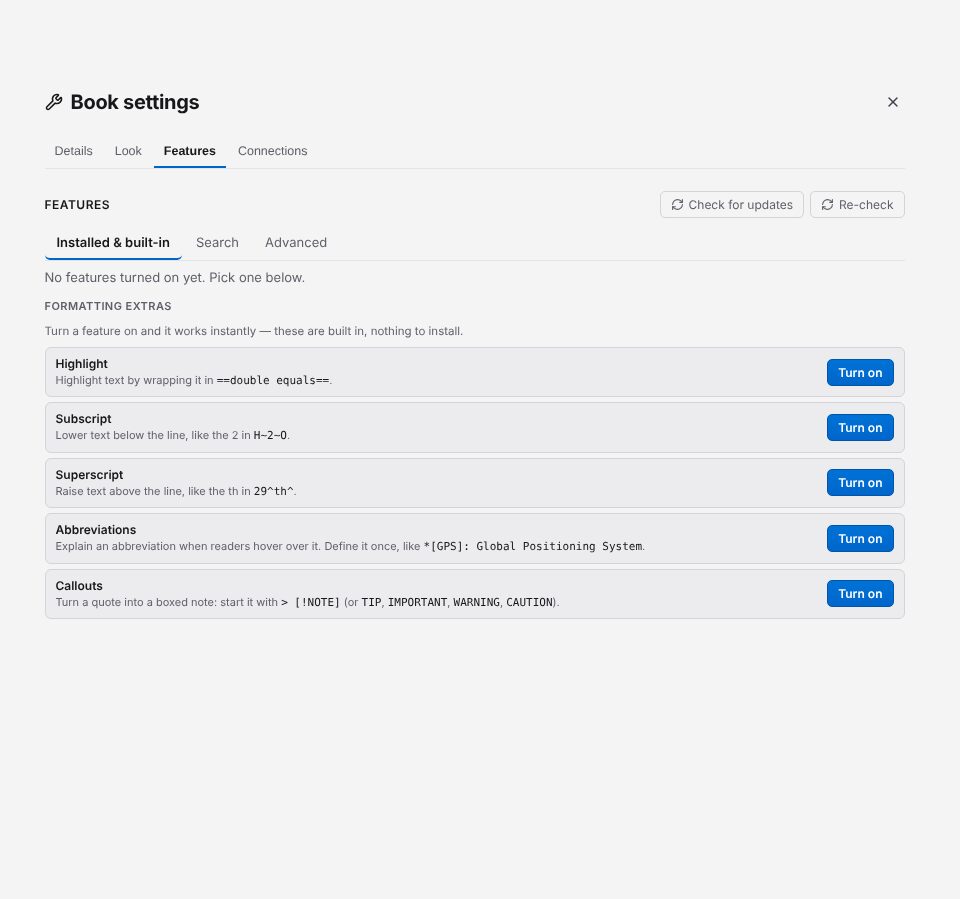
Five extras are built in, with nothing to download. Under Formatting extras on the Installed & built-in tab, click Turn on next to one, and it works straight away:
| Extra | Type |
|---|---|
| Highlight | ==text== |
| Subscript | H~2~O |
| Superscript | 29^th^ |
| Abbreviations | *[GPS]: Global Positioning System |
| Callouts | > [!NOTE], > [!TIP], > [!IMPORTANT], > [!WARNING], > [!CAUTION] |
Find and install a plugin
- Open the Search tab ("Find more on npm"). It searches npm for Gutterpress extensions and markdown-it plugins.
- Type what you are looking for (for example
footnoteorcallout) and click Search. - Click Add on the one you want.
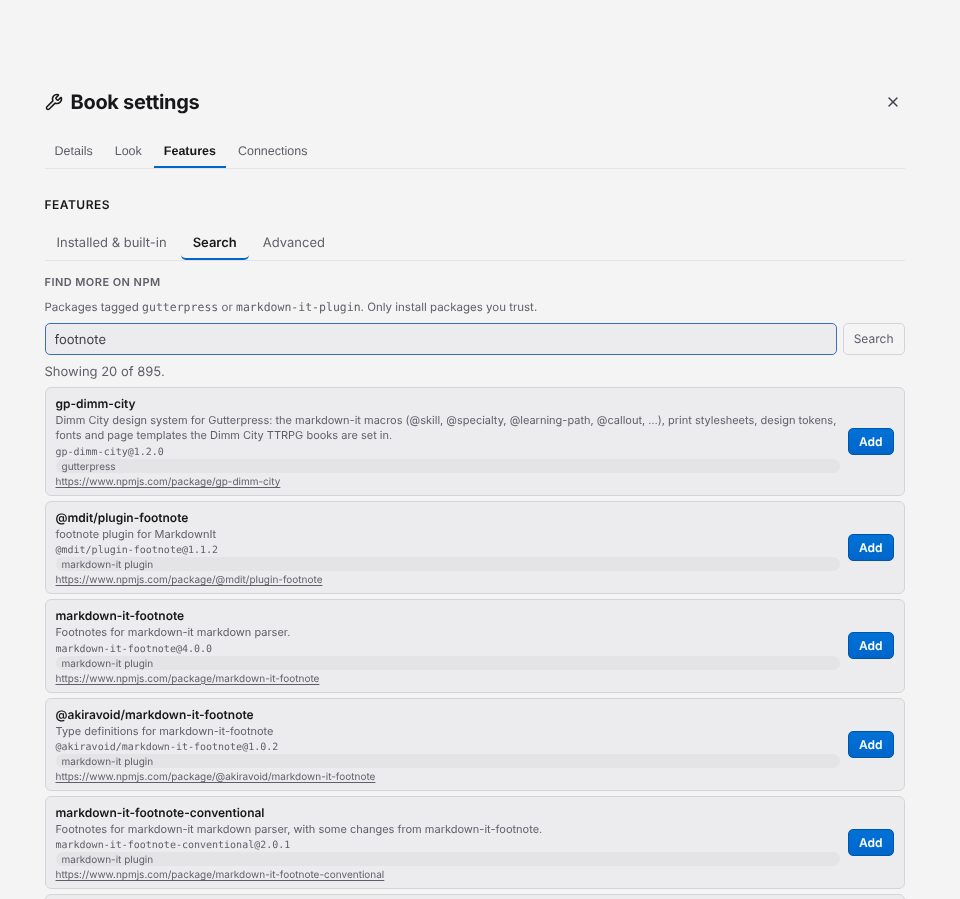
Gutterpress downloads it, checks it, keeps a copy inside your book, and lists it under Installed & built-in. Your book then builds from that copy, even offline. You can also browse the same search on the Find plugins page.
If you know the package's name, open Advanced, type it under Install from npm (with a
version if you want one, such as markdown-it-highlightjs@4.3.0) and click Install.
Add a plugin file or folder... adds a plugin you have on your computer.
Choose a version and stay up to date
Each installed plugin on Installed & built-in has a Version menu; pick a version to switch to it. If the new version fails to download or load, your book keeps the old one.
- Check for updates asks npm for newer versions. A plugin with one shows the new version and an Update button.
- Include pre-release versions adds alpha, beta and release-candidate versions to the menus and the update check. It is off by default and applies to every book.
- Install (or Reinstall) appears when a plugin's copy is missing or won't load.
- Each plugin can be turned off, or removed with the trash icon, which deletes its downloaded copy.
The plugins chapter covers ordering plugins and writing your own.
Next: save a PDF.