Install the app and open it for the first time
Download
Download the file for your computer from the install page:
- Windows: the installer,
Gutterpress-setup-win-x64.exe. It installs for your user only, needs no administrator rights, and adds Start Menu and Desktop shortcuts. The portable.zipruns without installing. - macOS: the
.dmgfor Apple Silicon or for Intel. Open it and drag Gutterpress to Applications. - Linux: the
.AppImage. Make it executable (chmod +x) and run it.
There is no ARM64 build for Windows (the x64 app runs under emulation) or for Linux.
Get past the first-run warning
The app is not signed yet, so macOS and Windows warn you the first time you open it.
- macOS: try to open the app once, then open System Settings → Privacy & Security, find Gutterpress, and choose Open Anyway.
- Windows: if you see "Windows protected your PC", choose More info → Run anyway.
To check that the file is the one we published, compare it with SHA256SUMS.txt on the release
(shasum -a 256 <file> on macOS, sha256sum <file> on Linux,
Get-FileHash <file> -Algorithm SHA256 in PowerShell).
The start screen
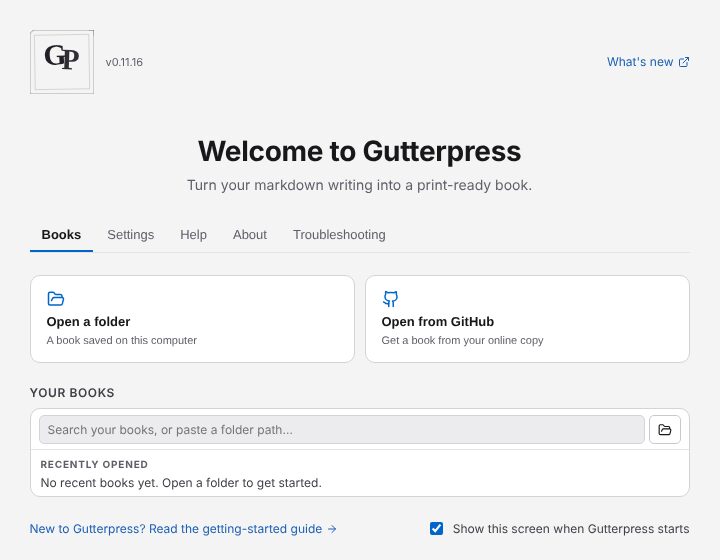
Gutterpress opens on the start screen. The first time, it says Welcome to Gutterpress; after that it offers Open your book to carry on where you left off. Its tabs are Books, Settings, Help, About and Troubleshooting.
On first launch the app copies the user guide and some example books into a Gutterpress folder
in your Documents folder. They are listed under Discovered on the Books tab: open one to look
around.
Switch to Author
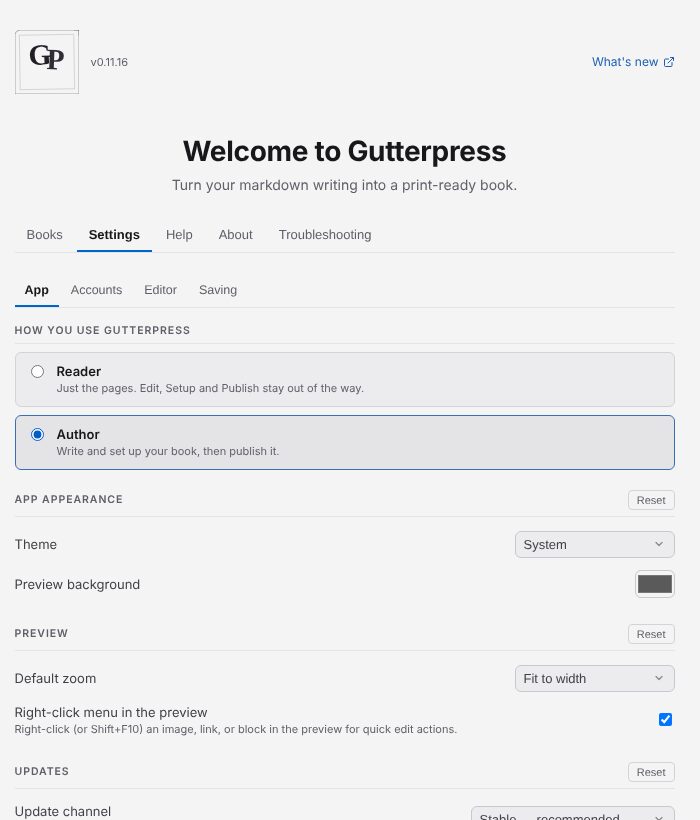
A new install starts as a Reader: just the pages, with Edit, Setup and Publish out of the way. To write, open the Settings tab and under App → How you use Gutterpress choose Author — "Write and set up your book, then publish it."